
WooCommerce AI Support Assistant
WooCommerce AI Support Assistant is a powerful AI-driven chat plugin designed to automate and streamline customer support for your WooCommerce store. It enables customers to receive instant answers about their orders, shipping status, product availability, sizes, and store policies — significantly reducing response time and support workload.
Beyond customer assistance, the plugin also provides a smart Admin AI Assistant that delivers real-time store insights such as today’s orders, low stock products, and refund statistics directly within the WooCommerce dashboard. With flexible support for both Local AI (no API required) and External AI APIs for more advanced conversational capabilities, the plugin ensures privacy, performance, and intelligent automation tailored to your business needs.
 4.9 x, 5.0 x, 5.1 x, 5.2 x, 5.3 x, 5.4 x, 5.5 x, 5.6 x, 5.7 x, 5.8 x, 5.9 x, 6.0 x, 6.1 x, 6.2 x, 6.8 x

30 Days
Money Back

Highly Secure &
Stable Products

Free 9 Months
Upgrade

Free 90 Days
Support


- Details
- Features
- Reviews
- Features Request
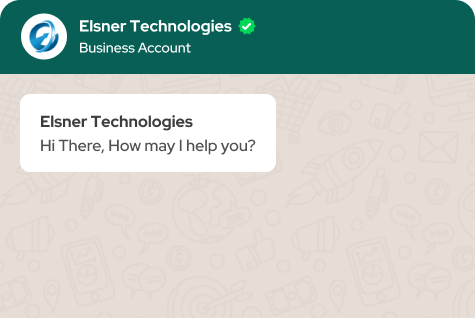
WooCommerce AI Support Assistant is a comprehensive AI-powered support solution designed to reduce customer support workload while improving user experience. Customers can interact with an intelligent chat widget to track orders, check product availability, and understand store policies without waiting for manual responses.
Store administrators can use the built-in Admin AI Assistant to retrieve valuable store insights such as daily order summaries, low stock alerts, and refund statistics — directly from WooCommerce admin pages.
The plugin offers two AI engine options. The Local Rule-Based AI works instantly without requiring any API key, ensuring privacy and zero recurring costs. For more advanced conversational abilities, store owners can connect an external OpenAI-compatible API for enhanced natural language understanding and contextual responses.
Built with a modular architecture, strong security measures, and easy extensibility, this plugin is ideal for WooCommerce stores looking to automate support, improve efficiency, and enhance customer satisfaction.
AI Support Assistant for admin

AI Support Assistant for customers

Key Features
- Customer AI Chat: Answer order tracking, product questions, and refund policy queries instantly.
- Admin AI Assistant: Get store insights like today’s orders, low stock products, and refund statistics.
- Local Rule-Based AI: Works without API keys using keyword matching and direct WooCommerce data lookup.
- External AI API Support: Compatible with OpenAI-style APIs for advanced natural language understanding.
- Automatic Fallback: Switches to local AI if the external API is unavailable.
- Secure Architecture: Nonce verification, capability checks, ownership validation, and input sanitization.
- Dashboard Integration: Admin AI widget accessible directly inside WooCommerce admin pages.
- Modular & Extensible: Easily extend with new AI engines, REST endpoints, and custom handlers.
Installation Guide
- Download the woocommerce-ai-support plugin folder.
- Upload the folder to
/wp-content/plugins/via FTP or File Manager. - Log in to your WordPress Admin Dashboard.
- Go to Plugins → Installed Plugins.
- Find WooCommerce AI Support Assistant and click Activate.
- Ensure WooCommerce is installed and activated.
- Navigate to WooCommerce → AI Support to configure settings.
External AI Setup
- Go to WooCommerce → AI Support.
- Enter your OpenAI-compatible API key.
- Select your preferred AI model.
- Save the settings.
What Features your Extension Lacks?
Details
WooCommerce AI Support Assistant is a comprehensive AI-powered support solution designed to reduce customer support workload while improving user experience. Customers can interact with an intelligent chat widget to track orders, check product availability, and understand store policies without waiting for manual responses.
Store administrators can use the built-in Admin AI Assistant to retrieve valuable store insights such as daily order summaries, low stock alerts, and refund statistics — directly from WooCommerce admin pages.
The plugin offers two AI engine options. The Local Rule-Based AI works instantly without requiring any API key, ensuring privacy and zero recurring costs. For more advanced conversational abilities, store owners can connect an external OpenAI-compatible API for enhanced natural language understanding and contextual responses.
Built with a modular architecture, strong security measures, and easy extensibility, this plugin is ideal for WooCommerce stores looking to automate support, improve efficiency, and enhance customer satisfaction.
AI Support Assistant for admin
AI Support Assistant for customers
Features
Key Features
- Customer AI Chat: Answer order tracking, product questions, and refund policy queries instantly.
- Admin AI Assistant: Get store insights like today’s orders, low stock products, and refund statistics.
- Local Rule-Based AI: Works without API keys using keyword matching and direct WooCommerce data lookup.
- External AI API Support: Compatible with OpenAI-style APIs for advanced natural language understanding.
- Automatic Fallback: Switches to local AI if the external API is unavailable.
- Secure Architecture: Nonce verification, capability checks, ownership validation, and input sanitization.
- Dashboard Integration: Admin AI widget accessible directly inside WooCommerce admin pages.
- Modular & Extensible: Easily extend with new AI engines, REST endpoints, and custom handlers.
Installation Guide
- Download the woocommerce-ai-support plugin folder.
- Upload the folder to
/wp-content/plugins/via FTP or File Manager. - Log in to your WordPress Admin Dashboard.
- Go to Plugins → Installed Plugins.
- Find WooCommerce AI Support Assistant and click Activate.
- Ensure WooCommerce is installed and activated.
- Navigate to WooCommerce → AI Support to configure settings.
External AI Setup
- Go to WooCommerce → AI Support.
- Enter your OpenAI-compatible API key.
- Select your preferred AI model.
- Save the settings.
FAQs
Reviews
Features Request
What Features your Extension Lacks?
Price $15.00
Price $15.00

WooCommerce AI Support Assistant
Price $15.00
Price $15.00